GstarCAD 2022 Overview
GstarCAD 2022 Overview
Contents
- #Improvement Plot
- #Chart 1 — GstarCAD 2021 / GstarCAD 2022
- #Improvement Raster Image
- #Improvement Dimension Features
- #Improvement Multi-Line Trimming
- #Improvement Group
- #Improvement Graphic Display
- #Improvement FIND
- #Chart 2 — GstarCAD 2021 / GstarCAD 2022 / 列1
- #New ACET Interfaces
- #New FASTSEL
- #New Single-document Mode
- #Innovative LAYULKALL
- #Innovative CHANGEBASE
- #Innovative LAYDRAWORDER
- #Innovative DIMTOFFSET (system variable)


GstarCAD 2022 Overview
Efficient design & Accurate plotting
In GstarCAD 2022, the plot functionalities are significantly improved, making plotting effects more precise and accurate. An upgraded raster engine has been integrated and enables more image formats, even 1 billion pixels images can be correctly attached, previewed, modified and plotted. Beyond, GstarCAD 2022 offers a plethora of other new and improved tools to help maximize your productivity.
Improvement Plot
In GstarCAD 2022, PDF plot driver, plot with transparency function, raster images plotting and hidden shade plot function are significantly improved. The plotting effects now are more precise and accurate, and many plotting issues in the old version are completely solved.
-
PDF Plot Driver
-

When you plot with any options in GstarCAD 2022, the TTF (Truetype fonts) text is output as searchable and editable text with smooth border display, no matter how you set the value of text width factor and oblique angle.
Plotted from GstarCAD 2022

Plotted from GstarCAD 2021
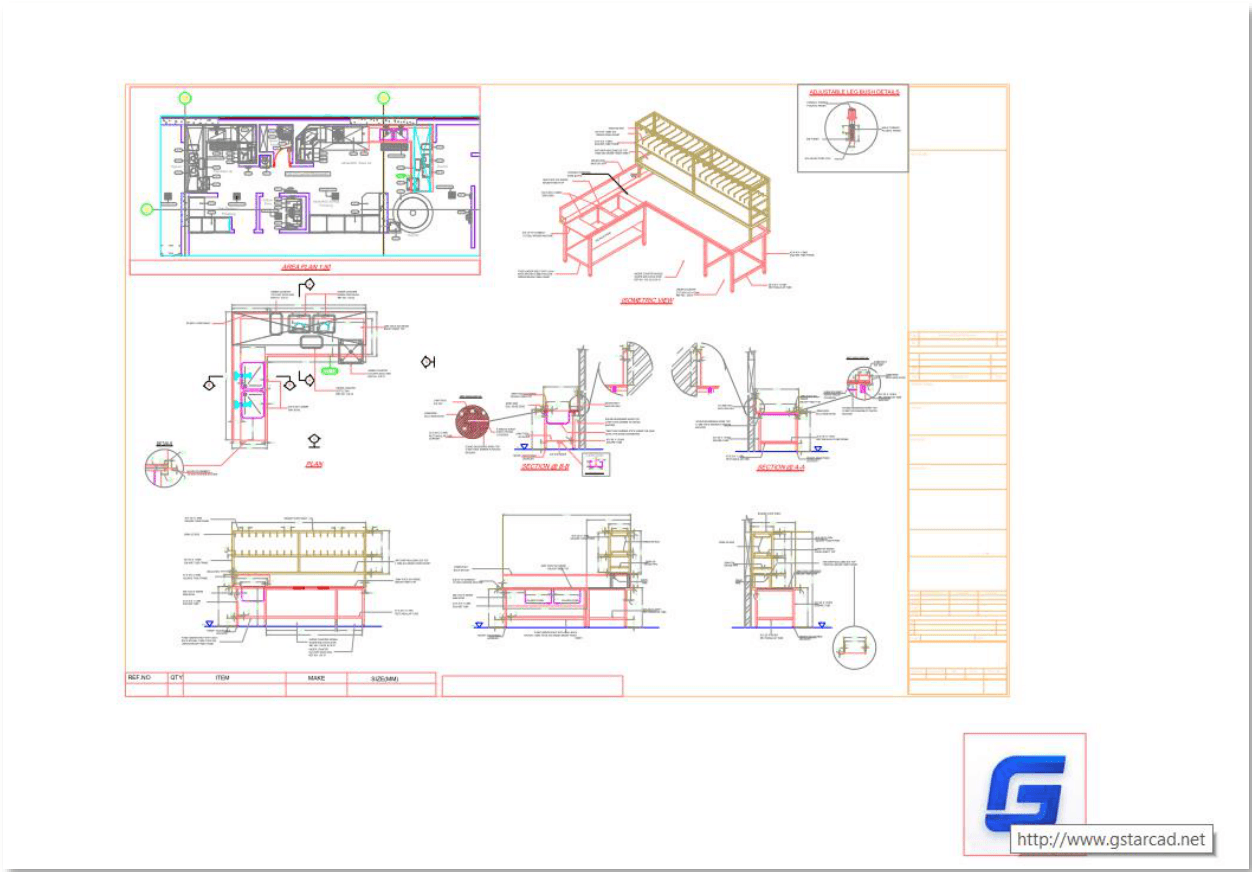
Hyperlinks are retained and remain clickable when plotted to PDF.
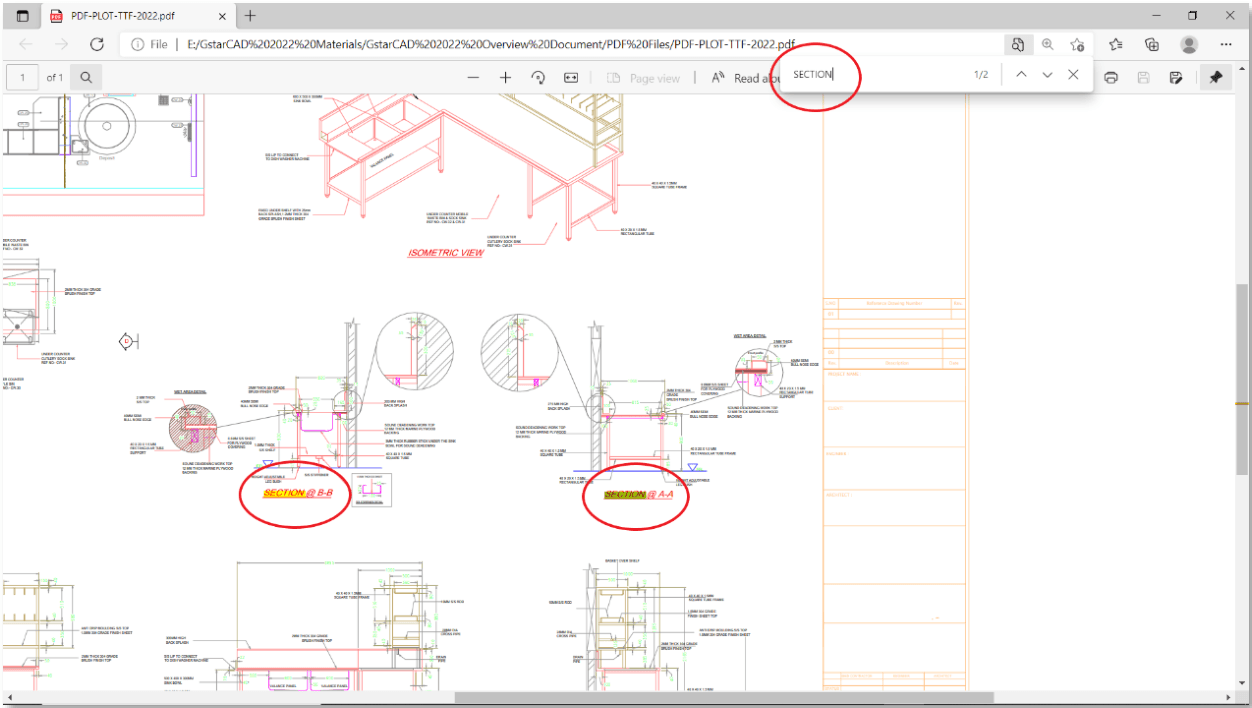
Third-party tools can easily read all information of the PDF plotted from GstarCAD 2022, and you are able to search, copy text and add electronic signatures, etc.
-
Plot with Transparency
-

The display after plotting with transparency is much clearer and more accurate, the arcs, circles, ellipses, graphics and text boundaries are smoother. And the drawing information after plotting will not be modified, all kinds of objects can be plotted correctly.
Plotted from GstarCAD 2022 and scaled up 700%

Plotted from GstarCAD 2021 and scaled up 700%
The raster images are able to be plotted with transparency perfectly in GstarCAD 2022.
Plotted from GstarCAD 2022

Plotted from GstarCAD 2021, the output image loses its transparency
The Line Weight and Line Type are displayed correctly after plotting with transparency.
Plotted from GstarCAD 2022

Plotted from GstarCAD 2021
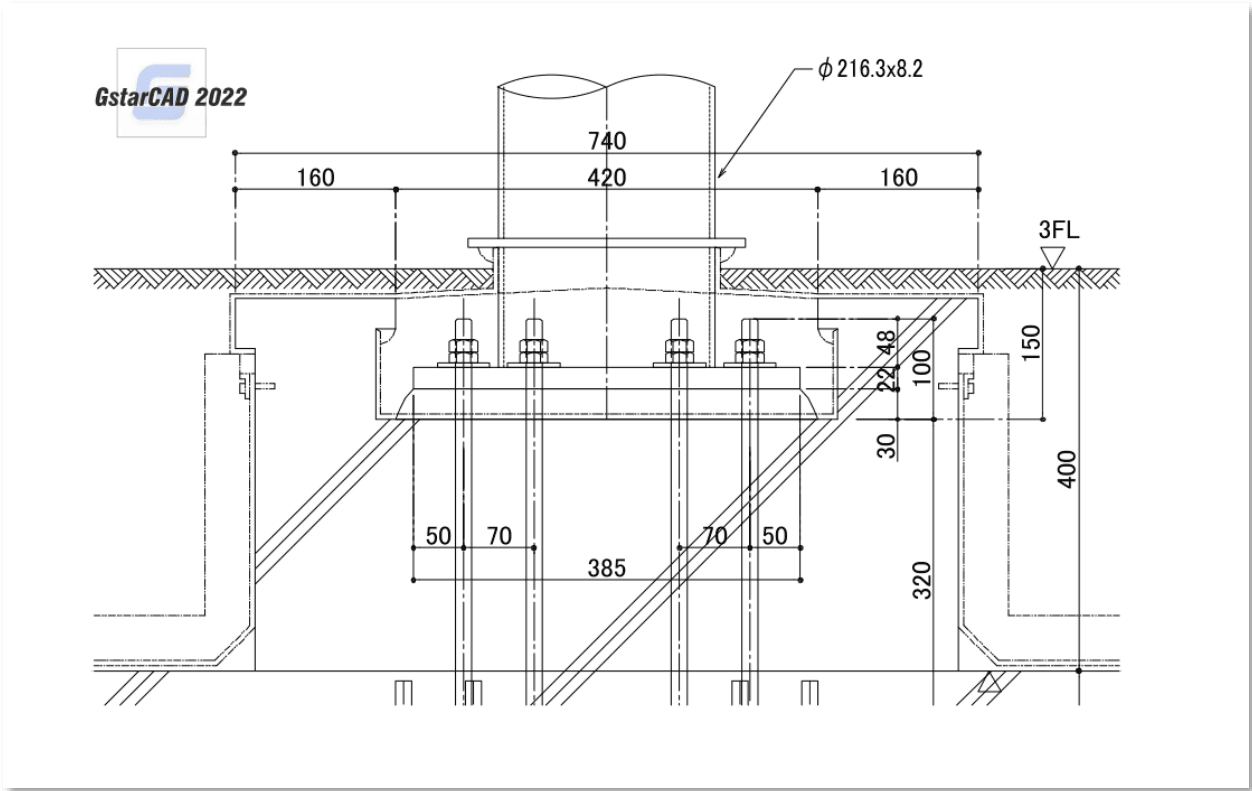
The annotative objects are displayed accurately and in high quality after plotting with transparency in GstarCAD 2022.
Plotted from GstarCAD 2022

Plotted from GstarCAD 2021
-
Raster Images Plot
-

Large raster images in different sizes and formats can be previewed and plotted smoothly, in GstarCAD 2022, you are able to plot even 1 billion pixels images.
- The plotting speed of 1-Bit and 32-Bit color raster images increases exponentially in GstarCAD 2022, plotting speed of 1-Bit images has at most 10 times increases, and 32-Bit images has at most 5 times increases.
Chart 1 — GstarCAD 2021 / GstarCAD 2022

| Operation | GstarCAD 2021 | GstarCAD 2022 |
|---|---|---|
| 1-Bit Drawing | 1 | 0.1 |
| 32-Bit Drawing | 1 | 0.2 |
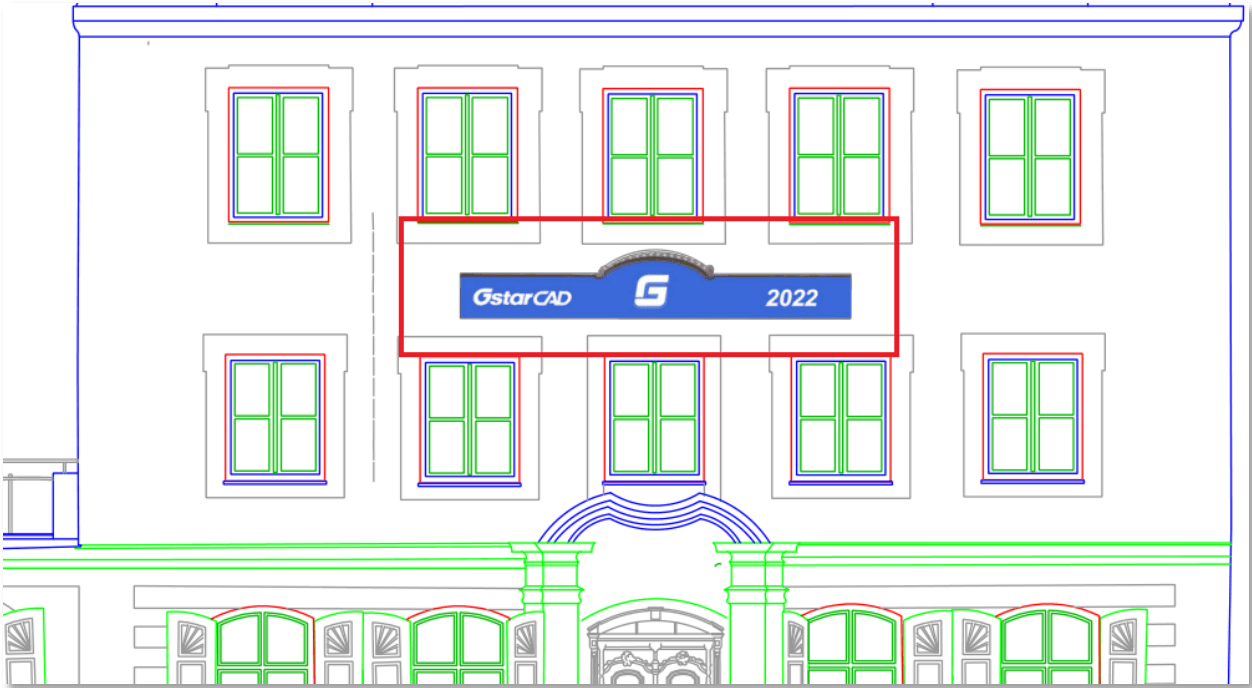
The display after plotting rotated or cropped raster images is more accurate, and images after plotting will not have any offset.
Plotted from GstarCAD 2022

Plotted from GstarCAD 2021

When you plot a raster image to PDF, the size of the plotted PDF file is greatly reduced, while its original details are fully retained, as well as keeping the high quality of plotting in GstarCAD 2022.
Same large raster image plotted to PDF
- Hidden Shade Plot
The display after hidden shade plotting is significantly improved, which is much more accurate and clearer than before. And the lines, polylines, arcs, circles, ellipses and other objects after hidden shade plotting now have smoother boundaries.


Plotted from GstarCAD 2022
Plotted from GstarCAD 2021
Improvement Raster Image
In GstarCAD 2022, more formats and larger size raster images are supported, the display of raster images modification is more accurate as well.
-
Formats
-

183 formats are available to be attached in GstarCAD 2022, greatly improving the compatibility of raster images.
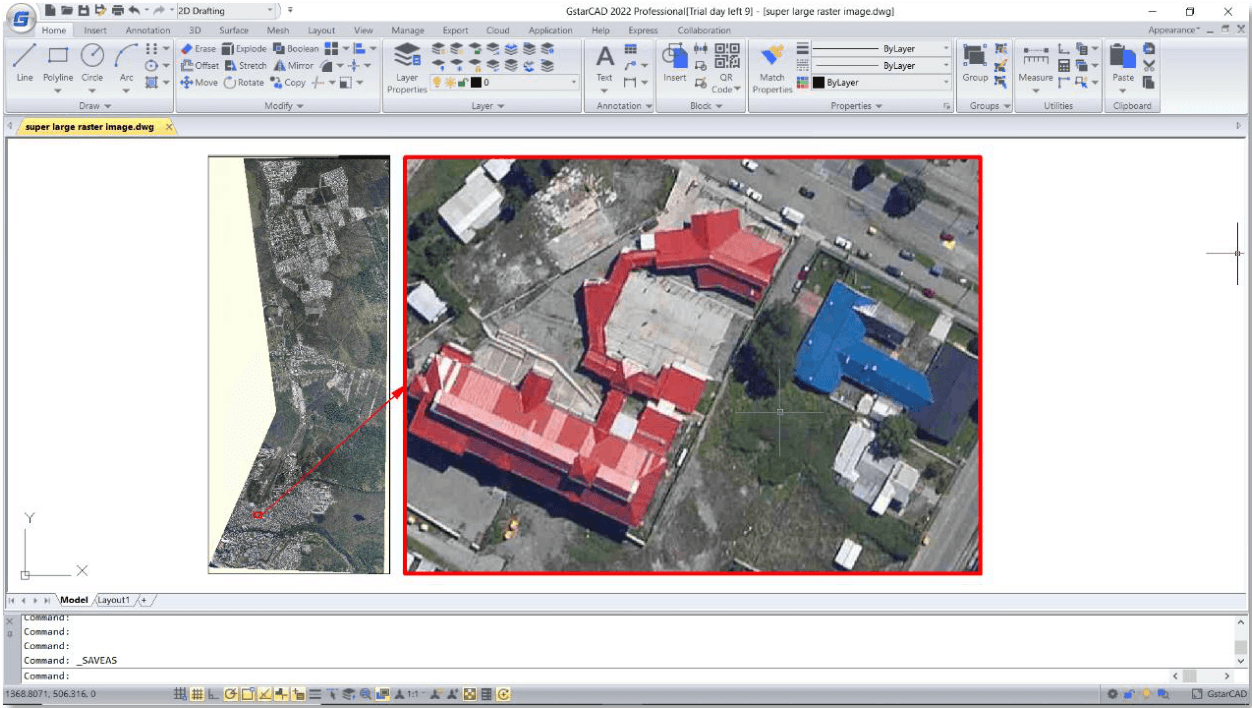
You can attach, preview, modify and plot raster images in different formats and sizes, even 1 billion pixels raster image is supported.
-
Display
-
In GstarCAD 2022, the effects of brightness, contrast, fade, and highlight modification are more accurate, the display after modification is also becoming better.
-

In GstarCAD 2022, the display of attached images with transparency is more accurate when the ‘Background transparency’ is set to Yes.
In GstarCAD 2022

In GstarCAD 2021
-
Information
-
You are able to insert an image successfully even if its file extension has been modified, and the image will not have any errors.
-
The information of images like image resolution is inserted more accurate when you are attaching raster images in GstarCAD 2022.
Improvement Dimension Features
In GstarCAD 2022, commands DIMREASSOCIATE, DIMREGEN, DIMCENTER, Stretch Dimension Group and a system variable DIMLAYER are supported to make dimension display more reasonable and accurate, and make it easier and faster to modify dimensions.
- DIMREASSOCIATE

The DIMREASSOCIATE command allows associating or reassociating selected dimensions to objects or points on objects. When the defining point of selected dimension doesn’t associate with the geometry, the X mark is displayed. When the defining point of the selected dimension associates with the geometry, the ⊠ mark is displayed.

- DIMREGEN

The DIMREGEN command allows updating the positions of all associative dimensions in Model space or Layouts. You can use this command to move associative dimensions to correct positions, as well as regenerate dimensions display according to current system variables value.

- DIMCENTER

A new option Polygon(P) has been added to DIMCENTER command, which allows you to mark center of polygons easily.
- Stretch Dimension Group

The “Stretch dimension group” option in the dynamic grip menu allows adjusting all dimensions which share grips with each other at once. As long as the dimension you select shares grips with any other dimensions, you can hover the cursor on any of their grips and stretch together.
- DIMLAYER (system variable)

The system variable DIMLAYER specifies a default layer for dimensions, and basic dimensions will be created on that layer automatically instead of creating dimensions on current layer.
Improvement Multi-Line Trimming

In GstarCAD 2022, the Multi-Line objects can be easily trimmed or extended by various objects like lines, polylines, circles, arcs, ellipses, splines, etc. And after selecting the boundaries, you can move the cursor on the Multi-Line and preview which part will be trimmed or extended.
Improvement Group
In GstarCAD 2022, most group commands are organized into a Groups Panel in the ribbon, making it more convenient to create group, edit group, ungroup and control group display by clicking icons in the ribbon directly.
- GROUPEDIT
The GROUPEDIT command supports adding, removing objects from the selected group, as well as renaming the selected group.

- Groups Panel

The Groups Panel contains most of group features, including Group, Ungroup, Group Edit, Group Selection ON/OFF, Group Manager and Group Bound Box On/Off. You can execute group commands or set group system variables by directly clicking the icons in the ribbon.
Improvement Graphic Display
In GstarCAD 2022, the display quality of line objects can be improved with an anti-aliasing system variable, and drawings are automatically regenerated when zooming or panning.
- Automatic Regeneration
The drawing will be always automatically regenerated when you are zooming or panning, which makes operation process smoother and display better.
- ANTIALIAS

The Anti-aliasing system variable ANTIALIAS improves the display quality of jagged 2D objects. Edges of lines and curved lines are displayed more smoothly when set its value to 1.

Improvement FIND
The speed of operating FIND command in a complex drawing has increased 5 to 10 times in GstarCAD 2022.
Chart 2 — GstarCAD 2021 / GstarCAD 2022 / 列1
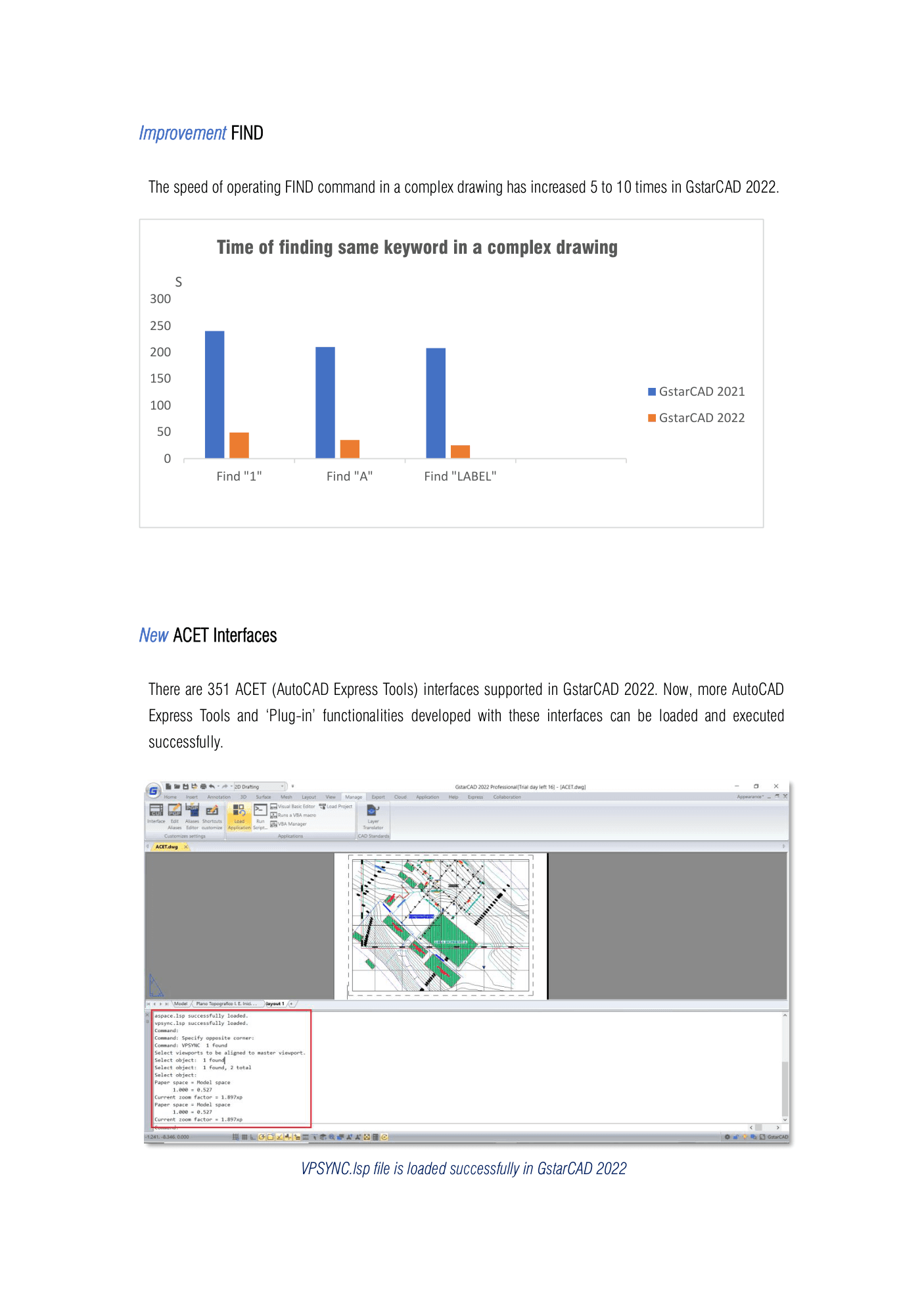
| Operation | GstarCAD 2021 | GstarCAD 2022 | 列1 |
|---|---|---|---|
| Find "1" | 240 | 49 | |
| Find "A" | 210 | 35 | |
| Find "LABEL" | 208 | 25 |
New ACET Interfaces

There are 351 ACET (AutoCAD Express Tools) interfaces supported in GstarCAD 2022. Now, more AutoCAD Express Tools and ‘Plug-in’ functionalities developed with these interfaces can be loaded and executed successfully.
VPSYNC.lsp file is loaded successfully in GstarCAD 2022
New FASTSEL

In GstarCAD 2022, the fast select command FASTSEL allows selecting all the objects that touch the selected object, including lines, polylines, circles, arcs, attribute definitions, text, Mtext, ellipses, and images. And FSMODE command controls two different behaviors of the FASTSEL command.

New Single-document Mode
In GstarCAD 2022, you can enable single-document mode by setting SDI (Single Document Interface) system variable to 1, and then only one drawing is allowed to be open at a time.
Innovative LAYULKALL

In GstarCAD 2022, you can select LAYULKALL command to unlock all the locked layers immediately, instead of unlocking them one by one.
Innovative CHANGEBASE
In GstarCAD 2022, the CHANGEBASE command allows changing the base point position of a block. You can move the base point and keep objects staying in original position, or move objects and keep base point staying in original position.

Innovative LAYDRAWORDER

The LAYDRAWORDER feature allows rearranging the layers in GstarCAD 2022. You are able to select one or more layers, and bring them to front or send them to back with buttons in ‘Layer Draw Order’ window. You can also change the order of the layers in ‘Layers to Adjust Draw Order’ list conveniently.
Innovative DIMTOFFSET (system variable)
In GstarCAD 2022, if the space above the arrows is not enough for dimension text when you place the dimension below or right the objects, the text will be placed downward. In this case, you can use two values of the system variable DIMTOFFSET to set two kinds of gap styles between the arrows and text, one is the same as AutoCAD, another reduces the gap.


PDF page 9 — additional source text
Comparison of plotting time
PDF page 9 — additional source text
120%
PDF page 9 — additional source text
100%
100%
PDF page 9 — additional source text
100%
PDF page 9 — additional source text
80%
PDF page 9 — additional source text
60%
PDF page 9 — additional source text
40%
PDF page 9 — additional source text
1-Bit Drawing
32-Bit Drawing


PDF page 21 — additional source text
Time of finding same keyword in a complex drawing
PDF page 21 — additional source text
300
PDF page 21 — additional source text
250
PDF page 21 — additional source text
200
PDF page 21 — additional source text
150
PDF page 21 — additional source text
100
PDF page 21 — additional source text
50
PDF page 21 — additional source text
Find "1"
Find "A"
Find "LABEL"